
Android
Your cloud on
your Android phone.
Get to your files wherever you are, let new photos upload by themselves and share documents without a detour through your laptop.

App
ownCloud.online (ownCloud GmbH)
Available from
Google Play
Last updated
21 July 2026
Price
Free — subscription required
Manual
Android app 4.7
Please install ownCloud.online by ownCloud GmbH. This is the app for hosted clouds like yours. The plain “ownCloud” community app is meant for self-hosted servers.
Set up
- Install ownCloud.online from the Play Store.
- Enter the address of your cloud, for example
https://yourcompany.owncloud.online. - Sign in with your username and password — with two-factor authentication, use an app password. You are connected.
What it does
Automatic synchronisation
The app keeps your files up to date in the background, so what you see on your phone matches your cloud.
Photos and videos upload themselves
Recordings from your phone can be uploaded automatically — your holiday pictures are backed up without you thinking about it.
Share with people and by link
Share files with other users and groups, or create several public links with different settings.
Add files from your device
Send documents from other apps straight into your cloud using the Android share sheet.
Available in other apps
Thanks to the document provider integration, other Android apps can open and save files in your cloud directly.
Two-factor authentication
The app supports two-factor authentication, so your cloud stays protected even if the phone goes missing.
What it looks like
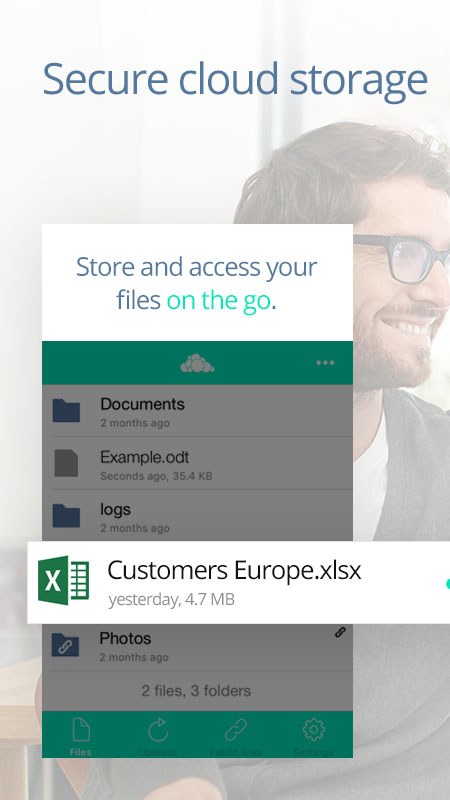
Your files on the phone
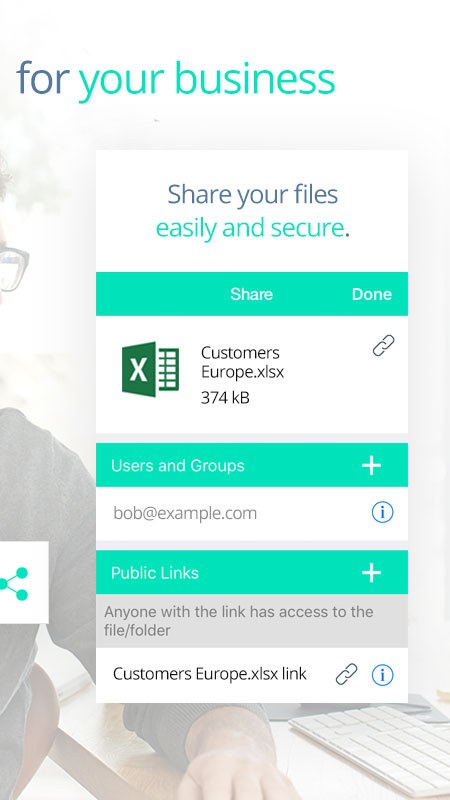
Sharing with users, groups and public links
Good to know
Which app is the right one?
The app called ownCloud.online from ownCloud GmbH. There is also a plain “ownCloud” app for self-hosted servers — that one is not suitable for your hosted cloud.
I use two-factor authentication. How do I sign in?
Create an app password in the web interface under Settings → Security and enter that in the app instead of your normal password.
Can I have my photos uploaded automatically?
Yes. The app can upload photos and videos recorded on your device automatically. You switch this on in the app settings.
Does the app cost anything?
No. The app is free; you only need an active ownCloud.online subscription.
Also available for
Stuck somewhere?
Our support team is based in Germany and answers in German and English — usually within a few hours.

Your personal contact
Stefan Noack